One CAD file.
Web 3D anyone can open.
Upload STEP or IGES and it becomes lightweight web 3D automatically. Build exploded and assembly animations and share them with a single link — no install, no code.
Supports STEP · STP · IGES · IGS · GLB · glTF
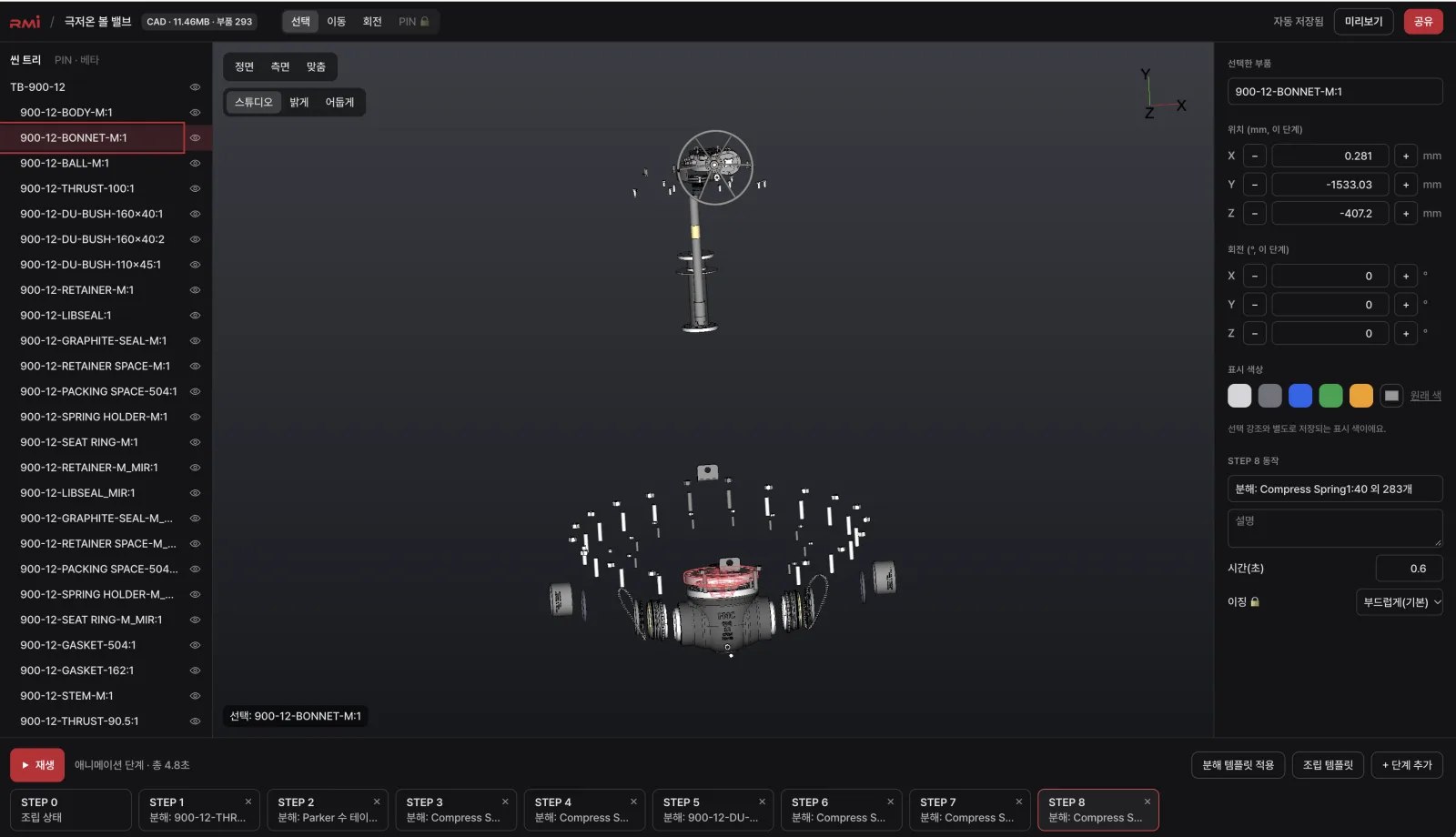
HOW IT WORKS
Upload, convert, animate, share.
- 01 · Upload
Upload
Drop in a STEP or IGES assembly, or a GLB.
- 02 · Convert
Auto optimization
Converted to web 3D with the assembly structure intact.
- 03 · Animate
Assembly animations
Pick a template and step-by-step motion is generated for you.
- 04 · Publish
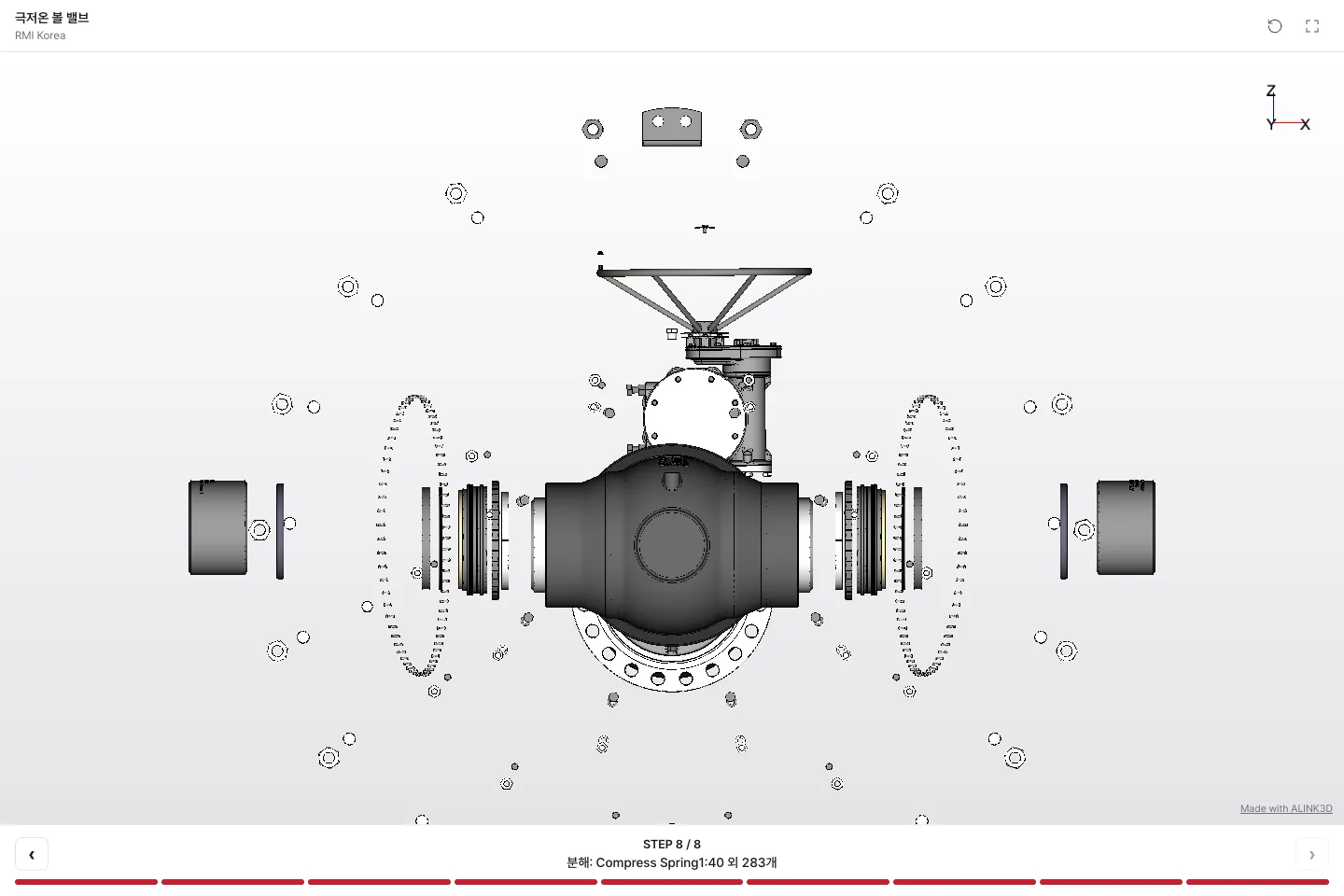
Link & embed
Email links, website embeds and mobile — all at once.
CAD TO WEB 3D
Assembly structure intact,
light enough for the web.
The field-proven ALINK3D conversion engine turns STEP and IGES into a lightweight web format, with the assembly tree, part selection, hiding and coloring built in.
- Web 3D far lighter than the original
- Select, hide and isolate parts
- Design data private by default
- 1Photos
- 2AI service
- 3Download GLB
- 4Upload to ALINK3D
AI 3D IMPORT
No CAD?
Start with AI-made 3D.
Make a 3D model from product photos in an AI service such as Tripo or Meshy, download it as GLB and upload it. Share it by link or embed right away — no credits needed. AI-made models estimate shape, so dimensional accuracy isn't guaranteed.


Where it's used
Valve & pump makers
Operating principles and disassembly steps as customer documentation
Machine tools & equipment
Maintenance procedures as step-by-step 3D
Parts distributors & shops
Rotating 3D viewers on product pages
Education & training
Interactive material for machine design classes
Already have CAD?
Your first share link in 5 minutes.
Need work instructions, equipment inspections or MES/ERP integration? Scale up with ALINK3D Enterprise.